












































What is GN Math?
GN Math (you will also see it typed as gn-math or gnmath) is a free unblocked games site where every game runs inside your browser tab. Open a game page, press Play and it loads in a few seconds - no installer, no login screen and no email address required.
The idea behind GN Math is simple: a game page should just work. Each title is played through in a real browser before it is listed, and every page tells you what the game is about, which keys to press and a few tips for getting better. People looking for GN Math unblocked games usually want exactly that - something that starts fast and plays without fuss during a short break.
Player favorites right now
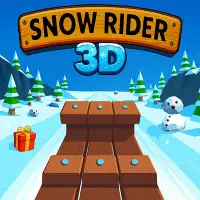
The most played titles right now include Basketball Stars, Basket Random, Amaze, Snow Rider 3D, GunSpin, Block Blast, They Are Coming and Coreball. Short sports games and 2 player games are especially popular, because a match takes a couple of minutes and a friend can join on the same keyboard. For something longer, the racing and adventure games keep you busy for a whole lunch break.
Browse free online games by category
Not sure what to play? Pick a mood and browse the matching collection:
- Action Games - 49 games, including They Are Coming and Bank robbery
- Skill Games - 49 games, including Snow Rider 3D and GunSpin
- Arcade Games - 47 games, including They Are Coming and Coreball
- Casual Games - 44 games, including Basket Random and Amaze
- Racing Games - 42 games, including Drift Boss and Moto X3M Pool Party
- Sports Games - 32 games, including Basketball Stars and Basket Random
- Shooting Games - 32 games, including GunSpin and Bank robbery
- Puzzle Games - 26 games, including Amaze and Block Blast
- 2 Player Games - 22 games, including Basketball Stars and Basket Random
- Strategy Games - 19 games, including Draw Joust and Mob Control
- Platformer Games - 17 games, including Bob The Robber 2 and Dan the Man
- Rhythm Games - 17 games, including Magic Tiles 3 and Friday Night Funkin': vs. Garcello
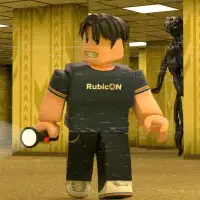
- Adventure Games - 13 games, including Backrooms and Bob The Robber 2
- Simulation Games - 13 games, including Real Flight Simulator and We Become What We Behold
- Flash Games - 9 games, including Riddle School and BFDIA 5b: 5*30
- Friday Night Funkin' Mods - 9 games, including Friday Night Funkin vs Shucks v2 and Friday Night Funkin vs Tabi
- Fighting Games - 8 games, including Boxing Random and Dan the Man
- Sandbox Games - 5 games, including sandspiel and Funny Battle Simulator 2
- Horror Games - 4 games, including Backrooms and Scary Shawarma Kiosk: The Anomaly
Why players pick GN Math
- Instant play - games load in the browser on Chromebooks, Windows PCs, Macs, tablets and many phones.
- Tested before listing - each game is checked in a real browser, and games that stop working are taken down.
- Your progress stays with you - favorites, recently played games and most game saves are kept on your device.
- No pop-up windows or redirects - games run inside the page and cannot send you to another website.
- Fullscreen on any screen - every game has a fullscreen button, and on phones it opens in a full-screen view.
How to play unblocked games in your browser
- Type a game name in the search bar, or open a category such as Racing, Sports or 2 Player.
- On the game page, press the Play button.
- Click inside the game so it receives your keyboard, then use Fullscreen for the biggest view.
- Read the How to Play section under the game if you are not sure which keys to use.
Games for Chromebooks, laptops and phones
Because nothing is downloaded, the site runs anywhere a modern browser does, including school Chromebooks and older laptops. Most games are made for a keyboard and mouse. Games that also work with touch are labeled "Desktop and mobile" in their game details, and the Play on your phone section on this page collects them in one place.
Guides and tips
- What Is GN Math? A Simple Guide to the Free Games Site
- 15 Best GN Math Games to Play Right Now
- Best 2 Player Games on GN Math to Play With a Friend
- How to Play GN Math Games on a Chromebook: Tips for Smooth Play
- Is GN Math Safe? What Students and Parents Should Know
Frequently asked questions about GN Math
Is GN Math free?
Yes. You can play every game on the site without paying and without signing up.
How many games are on GN Math?
There are currently 216 games in 19 categories. New games are added only after they pass our browser test.
Do I need to download anything?
No. Games run in the browser tab, so nothing gets installed on your computer or phone.
Does GN Math work on a Chromebook?
Yes. The site works in Chrome, Edge, Firefox and Safari, school Chromebooks included. Games that need a keyboard say so on their page.
Can I play GN Math games on my phone?
Many games support touch controls. Look for "Desktop and mobile" in the game details; on phones the game opens in a full-screen view.
Is GN Math safe?
GN Math does not ask for an account, an email address or any personal details, and games cannot open pop-up windows or redirect you. Some partner games show a short ad from their distributor before they start.
How do I save my progress?
Most games save automatically in your browser. Your favorites and recently played list are stored on your device too, so clearing your browser data resets them.
A game will not load. What should I do?
Refresh the page and make sure your browser is up to date. If it still does not start, try another game while we re-check it; games that stop working are removed from the site.