About Tiny Track Racer
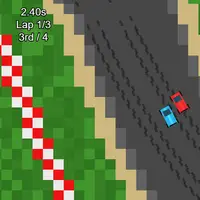
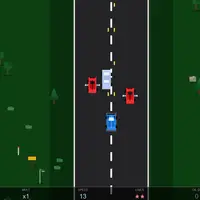
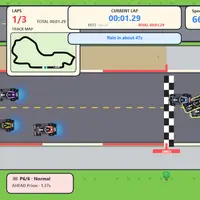
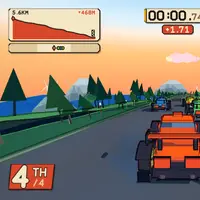
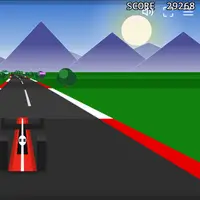
Tiny Track Racer is a top-down racing game built by Frank Force. Every race takes place on a freshly generated track, so the layout changes each time you restart. You race three laps against three computer cars, and the goal is to finish first and set a fast time. Your best finishing time is saved and shown on the title screen.
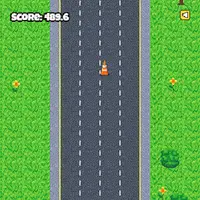
The track is a strip of road lined with sand and grass. Leaving the road slows you down a lot, whether you hit the sand or the grass past it, so clean lines matter. Holding Space pulls the handbrake for sharper, sliding turns through tight corners. Boost pickups on the road give a short burst of speed, and the game uses real physics, so cars bump and push each other. It suits players who like short races they can replay right away on a new course.
How to play Tiny Track Racer
- Up arrow or W - accelerate; Down arrow or S - brake and reverse
- Left and Right arrows or A and D - steer
- Hold Space - handbrake drift
- N during a race or R after the finish - restart on a new track
- Escape - pause menu
- Touch - stick to steer, right-side buttons to accelerate or brake, menu icon for restart
Playing Tiny Track Racer on a computer
Hold Up or W to accelerate, steer with Left and Right or A and D, and use Down or S to brake and reverse. Hold Space to drift through tight corners. Press N to restart on a new track during a race, or R after you finish. Escape opens the pause menu. Watch the sand at the edge of the road, since it slows you down hard.
Playing Tiny Track Racer on a phone or tablet
Tiny Track Racer has touch controls. Push the on-screen stick left or right to steer, and hold the buttons on the right to accelerate or brake. Tap the menu icon in the top corner to pause or restart. There is no drift button on touch, so take corners a bit wider. Turning your phone sideways gives the best view of the track.
Tips and tricks
- Stay on the road. Sand and grass both cut your top speed to about a third of normal.
- Tap Space just before a tight corner to drift through it, then let go to regain grip.
- Steer through boost pickups on the straights, where the extra speed helps most.
- If you get a bad start or a messy track, press N to get a new one and try again.
Game details
| Developer | Frank Force |
|---|---|
| Category | Racing |
| Platform | Desktop and mobile |
| Technology | HTML5 (open source) |
| Price | Free |
| Original game | KilledByAPixel/LittleJSArcade by Frank Force |
| Code license | MIT |
| Art and sound | MIT (cars and terrain drawn in code, sounds generated at runtime); Box2D physics under the zlib license |
| Hosted copy | Adapted to run on GN Math - see the changes |
Tiny Track Racer FAQ
How many laps are in each race?
Every race is three laps against three AI cars. The results screen shows the final placings when the race ends.
Does Tiny Track Racer save my best time?
Yes. Your fastest finishing time is saved in your browser and shown on the title screen.
Can I play on a phone or tablet?
Yes. On-screen controls let you steer with a stick and use buttons to accelerate and brake. A gamepad also works.