About Checkers
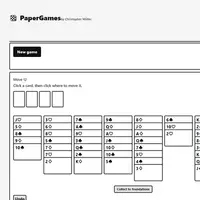
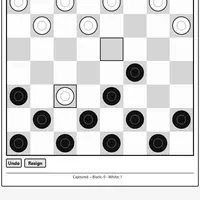
Checkers uses the classic 8x8 board with twelve pieces on each side. Pieces move one square diagonally forward, and you capture by jumping over an enemy piece into the empty square behind it. Reach the far row and your piece becomes a king that can move backward too. You win when your opponent has no pieces left or no legal move. This version was built by Christopher Müller.
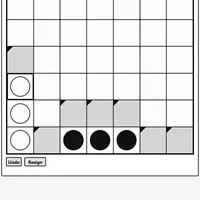
Captures are mandatory, and if a jump lands where another jump is possible, the chain continues, so a careless move can hand over several pieces at once. You can play against the computer on Easy, Medium or Hard and choose which color you play, or pick 2 Player (local) to share one screen with a friend. An Undo button lets you take back a move while you learn. It is a good fit for anyone who enjoys short, thinking games with simple rules.
How to play Checkers
- Click or tap your piece, then the landing square - move a piece
- Arrow keys and Enter - move to a square and pick it
- 2 Player (local) or vs Computer - choose a game mode
- Choose color and level, then New game - start against the computer
- Undo - take back your last move
- Menu - show the mode buttons during a game
Playing Checkers on a computer
Pick 2 Player (local) or vs Computer; against the computer, choose your color and a level, then click New game. Click one of your pieces, then click the square where it should land. Keyboard players can use the arrow keys and Enter. Before each move, check whether your opponent will be forced into a jump that helps you.
Playing Checkers on a phone or tablet
Checkers works well on phones and tablets. Tap one of your pieces, then tap the square where you want it to land. Tap Menu to switch between 2 Player (local) and vs Computer, and use Undo if you tap the wrong square. The board fits a tall screen, so you can play holding your phone upright.
Tips and tricks
- Remember that jumps are forced; set up positions where your opponent must jump into a spot you can capture back.
- Keep your back row filled as long as you can, so enemy pieces have a harder time getting crowned.
- Pieces on the side edges cannot be jumped from that side, which makes them safer but less active.
- Start on Easy to learn how chain jumps work, then move up to Medium and Hard.
Game details
| Developer | Christopher Müller |
|---|---|
| Category | Card & Board Strategy 2 Player |
| Platform | Desktop and mobile |
| Technology | HTML5 (open source) |
| Price | Free |
| Original game | YourChaosChris/PaperGames by Christopher Müller |
| Code license | MIT |
| Art and sound | MIT (board and pieces drawn with CSS, no image or audio files) |
| Hosted copy | Adapted to run on GN Math - see the changes |
Checkers FAQ
Can two people play Checkers on one device?
Yes. Choose 2 Player (local) and take turns on the same screen.
Do I have to jump when I can?
Yes. If any capture is available, you must take one, and a multi-jump continues as long as more captures are possible.
Does Checkers save a game in progress?
Yes, the current game is saved in your browser, so you can come back and continue it later on the same device.