





About Cubefield
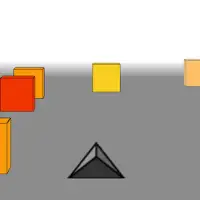
Cubefield is a stripped-down reflex test. A field of cubes lies ahead, and your only job is to slip between them without touching a single one.
Steering happens with the mouse, so small, smooth movements work better than big jerky swipes. The clean visuals keep your attention on the gaps, and because one bump ends the attempt, every run turns into a focused effort to beat your previous distance. It takes seconds to learn and much longer to master, which is why so many players keep coming back for another try.
How to play Cubefield
- Mouse - steer left and right
- Touch - steer on mobile
Playing Cubefield on a computer
Cubefield is steered with the mouse alone: slide it left or right and you drift the same way through the field of cubes. Starting takes two clicks: Play now on our page, then PLAY inside the game. A single bump ends the run, so small, smooth mouse movements work far better than big swings. Fullscreen helps here, since a wider view of the field lets you plan a path earlier.
Playing Cubefield on a phone or tablet
Cubefield is marked mobile ready and supports touch steering. Move your finger left or right to drift between the cubes. Landscape usually shows more of the field, giving you extra time to spot a gap. Keep finger movements small and smooth, since one brush against a cube ends the attempt and jerky corrections cause most crashes.
Tips and tricks
- Use small mouse movements for precise steering.
- Look for wide gaps early instead of reacting at the last moment.
Game details
| Category | Skill Arcade |
|---|---|
| Platform | Desktop and mobile |
| Technology | HTML5 |
| Price | Free |
Cubefield FAQ
How do you play Cubefield?
Move the mouse to steer and avoid touching any of the blocks in your path.
Does Cubefield work on mobile?
This version is marked as mobile friendly, so it can be played on phones and tablets.