About Evolving Civilization
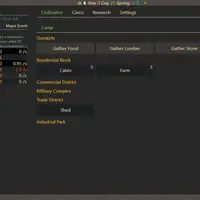
Evolving Civilization begins with a tiny bit of life. You click to create RNA, turn it into DNA, and evolve features like membranes, organelles and a nucleus until your creature reaches sentience. From there the game turns into a city builder: gather resources, put up buildings, hire workers, research new technology and expand from a small camp toward larger towns and, much later, space. It was built by Peter Motschmann (Demagorddon).
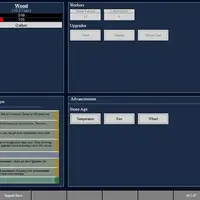
The game keeps adding systems as you progress, including a government, a market, storage, military and industry tabs. Much of it runs on its own over time, so the challenge is deciding what to build next and keeping every resource balanced rather than clicking fast. Some events can reset your run in exchange for bonuses that make the next run faster. It suits patient players who enjoy long-term planning and number-driven games.
How to play Evolving Civilization
- Click or tap an action's button - gather, build or research
- Hold Ctrl, Shift or Alt while clicking - repeat an action 10, 25 or 100 times
- Number keys 1 to 7 or click a tab - jump to a main tab (press again for sub-tabs)
- Hover over a button - see costs and effects
- Click or tap the pause icon - pause or resume the game
Playing Evolving Civilization on a computer
Click the RNA button to start, then form DNA and buy evolution upgrades as you can afford them. Hover over any button to read its cost and effect. Press the number keys 1 to 7 to jump between main tabs. Hold Shift while clicking to repeat an action 25 times, which saves a lot of clicking once resources pile up.
Playing Evolving Civilization on a phone or tablet
Evolving Civilization can be played by tapping, but it is a busy screen made for desktops. Buttons and tabs are small on a phone, tooltips that show costs depend on hovering, and the repeat-click shortcuts need a keyboard. A tablet held sideways works better than a phone. For quick phone play, try games labeled 'Desktop and mobile'.
On a phone right now? Try Checkers, Four in a Row and Backgammon - they are built for touch screens.
Tips and tricks
- Hover over buttons before buying; the tooltip shows exactly what each upgrade costs and does.
- Early on, prioritize anything that generates RNA or DNA automatically so you can stop clicking by hand.
- Raise storage before saving up for expensive buildings, or resources will hit their cap and go to waste.
- Use the Import/Export Save option now and then to export a backup, since clearing browser data would erase a long game.
Game details
| Developer | Peter Motschmann (Demagorddon) |
|---|---|
| Category | Strategy Simulation Clicker |
| Platform | Desktop (needs a keyboard or mouse) |
| Technology | HTML5 (open source) |
| Price | Free |
| Original game | pmotschmann/Evolve by Peter Motschmann (Demagorddon) |
| Code license | MPL-2.0 |
| Art and sound | MPL-2.0 (text and CSS interface); Weather Icons font under SIL OFL 1.1 |
| Hosted copy | Adapted to run on GN Math - see the changes · source code |
Evolving Civilization FAQ
Does Evolving Civilization save my progress?
Yes. The game saves in your browser automatically, and you can also export your save as text to keep a backup.
Does the game keep running when I am not clicking?
Yes. Once you unlock automatic production, resources keep building up while the game is open, and you can pause it from the top bar.
Can I play Evolving Civilization on a phone?
Partly. You can tap buttons to play, but the screen has many tabs and small text, and some features like hover tooltips and repeat-click shortcuts need a mouse and keyboard.