

About Realm of Ages Clicker
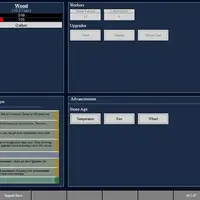
Realm of Ages Clicker is a text-based idle game made by a developer named Sam. It starts small: you click Gather to collect water and wood by hand. Soon you can hire workers who gather for you, and the realm keeps producing even while you are not clicking. More resources follow, including stone, iron, wheat, silver and diamonds, along with gold to spend.
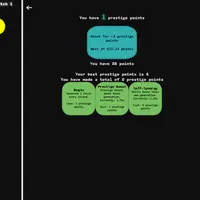
The menus open up as you grow. Buildings boost your workers, upgrades multiply output, commerce lets you trade one resource for another, and leaders named after famous figures from history add bonuses. Advancements open up as your realm moves from one age to the next. When progress slows you can start a colony, which resets the realm in exchange for prestige points that make the next run faster. Statistics and achievements track everything, and the game autosaves in your browser, with export and import options. It suits players who enjoy slowly growing numbers and planning upgrades.
How to play Realm of Ages Clicker
- Click Gather under a resource - collect it by hand
- Click a tile - buy a worker, building, upgrade or trade
- Hover over a tile or click a resource name - see costs and effects
- Ctrl + click a tile - sell a worker or building
- Messages, Statistics, Achievements or Settings buttons - switch panels
- Tap the same buttons on a touch screen
Playing Realm of Ages Clicker on a computer
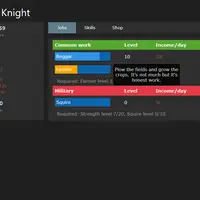
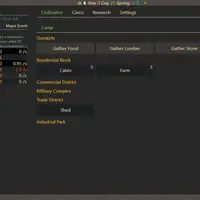
Click Gather under each resource to collect it, then click the tiles in the Workers, Buildings, Upgrades and Commerce tabs to buy things. Hover over any tile to see its cost and effect before you buy. Hold Ctrl and click to sell a worker or building. Check the Messages panel for tips as new features unlock, since the tutorial explains each step as it appears.
Playing Realm of Ages Clicker on a phone or tablet
Realm of Ages Clicker partly works on touch screens. You can tap Gather and tap tiles to buy workers, buildings and upgrades. The layout is designed for a wide screen, so on a phone it is cramped, hover tooltips do not appear and selling needs a keyboard. Tap a resource name to see details. A tablet held sideways or a computer works best.
On a phone right now? Try Coreball, 2048 and Checkers - they are built for touch screens.
Tips and tricks
- Early on, spend your first resources on workers instead of clicking forever; automatic income grows faster.
- Hover over tiles before buying to compare what each one actually adds.
- Use trades in the Commerce tab to turn a resource you have too much of into one you need.
- Use Export Save in Settings now and then to keep a backup of a long game.
Game details
| Developer | Sam |
|---|---|
| Category | Casual Clicker Strategy |
| Platform | Desktop (needs a keyboard or mouse) |
| Technology | HTML5 (open source) |
| Price | Free |
| Original game | clickerultimate/clickerultimate.github.io by Sam |
| Code license | GPL-3.0 |
| Art and sound | GPL-3.0 (text and CSS interface, no image or audio files) |
| Hosted copy | Adapted to run on GN Math - see the changes · source code |
Realm of Ages Clicker FAQ
Does Realm of Ages Clicker save my progress?
Yes. It autosaves in your browser, and you can also save by hand or export your save as text to keep a backup.
What does starting a colony do?
It resets your realm in exchange for prestige points, which you spend on lasting skills that speed up your next run.
Does it work on phones?
Partly. Tapping Gather and buying items works, but the layout is made for wide screens, hover tooltips are not available and selling needs Ctrl + click.