
About A Dark Room
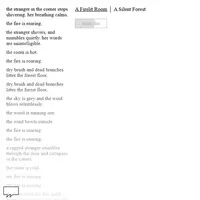
A Dark Room starts with almost nothing: a cold room, a dying fire and a single button. Keep the fire going and a stranger arrives, then more people, and soon you are building huts, setting traps, gathering wood and assigning villagers to jobs. The game was built by Michael Townsend (doublespeak games) and contributors, and it tells its story almost entirely through short lines of text.
The early part plays like a slow resource game, but it keeps opening up. New buildings unlock new jobs, a trading post and workshop bring better gear, and eventually you pack water and cured meat to walk out onto a world map full of danger, ruins and old secrets. Running out of supplies in the wild is a real risk, so planning matters. It suits patient players who like games that reveal themselves a little at a time and reward reading every message.
How to play A Dark Room
- Mouse click - use an action button (light fire, gather wood, build, trade)
- Left / Right arrows or A / D - switch between locations
- Arrow keys or W A S D - walk on the world map
- Arrow keys or W A S D - steer the ship during the escape
- Click hyper., lights off., save. or restart. - double speed, dark theme, save code, restart
Playing A Dark Room on a computer
Click the light fire button to begin, then keep clicking actions as new buttons appear. Use the Left and Right arrows or A and D to move between locations once you have more than one. On the world map, walk with the arrow keys or W A S D. Read every new line of text, because it often hints at what to build or do next.
Playing A Dark Room on a phone or tablet
A Dark Room is made for a keyboard and mouse. On phones the game shows a warning screen, and the map and ship sections need arrow keys to move comfortably. For the best experience, play on a laptop or Chromebook. On a phone, pick one of the games labeled 'Desktop and mobile' instead.
On a phone right now? Try Checkers, Four in a Row and Backgammon - they are built for touch screens.
Tips and tricks
- Never let the fire go out early on; a warm room is what brings the stranger who unlocks building.
- Build traps and huts steadily, then move idle villagers into jobs so wood and food keep coming in while you click less.
- Before leaving the village, pack plenty of water and cured meat; walking costs supplies and you can starve far from home.
- Use save. now and then to copy a save code, so you can restore progress if your browser data gets cleared.
Game details
| Developer | Michael Townsend (doublespeak games) and contributors |
|---|---|
| Category | Adventure Strategy Simulation |
| Platform | Desktop (needs a keyboard or mouse) |
| Technology | HTML5 (open source) |
| Price | Free |
| Original game | doublespeakgames/adarkroom by Michael Townsend (doublespeak games) and contributors |
| Code license | MPL-2.0 |
| Art and sound | MPL-2.0 (text and CSS only; the unlicensed music and sound files are not included) |
| Hosted copy | Adapted to run on GN Math - see the changes · source code |
A Dark Room FAQ
Does A Dark Room save my progress?
Yes. The game saves in your browser automatically, and the save. button gives you a code you can copy as a backup or load on another device.
Can I play A Dark Room on a phone?
Not well. It is made for a keyboard and mouse, and phones get a warning screen; there is a link to play anyway, but the layout is built for larger screens.
Why is the game so quiet and slow at first?
That is on purpose. The opening is just you and the fire, and new options appear as you keep playing; the hyper. button doubles the game speed if you want things to move faster.