

About Backgammon
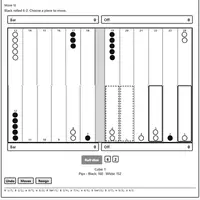
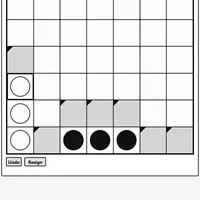
Backgammon is the two-sided race game played on 24 points, built by Christopher Müller as part of his PaperGames collection. Each side has 15 checkers that travel in opposite directions around the board. Roll two dice, move your checkers by the numbers shown, gather them all in your home board, then bear them off. The first player to clear all 15 wins the game.
Games swing back and forth because a lone checker on a point can be hit and sent to the bar, where it has to re-enter before you may move anything else. Doubles give you four moves instead of two, and the doubling cube lets you raise the stakes before you roll. A win can count for one, two or three points depending on how far behind the loser is. Face a computer opponent on Easy, Medium or Hard, or share one screen in local two-player mode. It suits patient thinkers who like a mix of planning and luck.
How to play Backgammon
- Click or tap Roll dice - roll for your turn (keyboard: Tab to the button, then Enter)
- Click or tap a point with your checker (or the Bar), then the target point - move a checker
- Arrow keys and Enter - pick a checker, then arrow to its target and press Enter
- Select a checker, then click or tap Off - bear it off
- Click or tap Double - offer the doubling cube before you roll
- Menu, then 2 Player (local) or vs Computer, then New game - set up a game
Playing Backgammon on a computer
Open Menu to choose vs Computer or 2 Player (local), then press New game. Click Roll dice, click a point holding one of your checkers, and click the point where it should land. Once every checker is in your home board, select one and click Off to bear it off. Keyboard players can Tab to buttons and use the arrow keys with Enter. Tip: stack two or more checkers on a point to keep them safe.
Playing Backgammon on a phone or tablet
Backgammon works well with touch. Tap Roll dice, tap a point that holds your checker (or the Bar), then tap the point where it should go. When all your checkers are home, select one and tap Off to bear it off. The board is square, so it fits a phone held upright or sideways, and the Undo button helps if a tap lands on the wrong point.
Tips and tricks
- Avoid leaving single checkers where your opponent can reach them; two or more checkers on a point cannot be hit.
- A checker on the bar must come back in before anything else can move, so blocking points in your opponent's entry area is powerful.
- Use Undo to test a move before you commit, and open Moves to review what has happened so far.
- Offer a double only when you are clearly ahead; if the other side declines, the game ends and you collect the current cube value.
Game details
| Developer | Christopher Müller |
|---|---|
| Category | Card & Board Strategy 2 Player |
| Platform | Desktop and mobile |
| Technology | HTML5 (open source) |
| Price | Free |
| Original game | YourChaosChris/PaperGames by Christopher Müller |
| Code license | MIT |
| Art and sound | MIT (board, checkers and dice drawn with CSS; no image or audio files) |
| Hosted copy | Adapted to run on GN Math - see the changes |
Backgammon FAQ
How do you win at Backgammon?
Bear off all 15 of your checkers before your opponent does. If the loser has not borne off any checkers, the win counts double, and it counts triple if they still have a checker on the bar or in your home board.
Can two people play Backgammon on one device?
Yes. Open Menu, choose 2 Player (local) and start a new game, then take turns rolling and moving on the same screen.
Does it save a game in progress?
Yes. An unfinished game is stored in your browser, so you can pick it up again later on the same device and browser.