About Mini Grand Prix
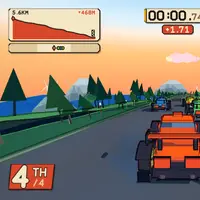
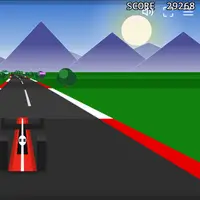
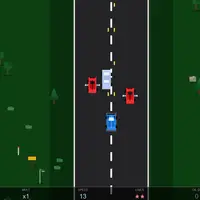
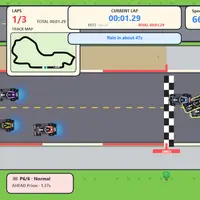
Mini Grand Prix is a cartoon-style formula racing game built by hexinhao (xhhdaxx). Pick a circuit from a spinning globe, choose a team and car, and set the race options: AI difficulty, weather, starting tires and the number of laps. A Grand Prix weekend opens with a one-lap qualifying run that sets your place on the grid, followed by the race itself.
There is more to it than holding the gas. Different tire types suit dry and wet conditions, a battery boost gives a burst of speed, and you can call a pit stop to swap tires mid-race. Breaking the rules adds time penalties to your result. Beyond single races there is a Time Trial mode, a 22-round championship with points, and a garage where you split a limited performance budget across your car's stats. Results, best laps and season progress are saved in your browser. It suits racing fans who like strategy as much as speed.
How to play Mini Grand Prix
- Left and right arrows - steer
- W - accelerate; D - brake
- Space - fire the battery boost
- P, then 1 to 5 at the box - request a pit stop and pick tires
- S - emergency brake (pit lane only); X - reverse
- Escape - pause or go back to the menu; R - restart after a session
Playing Mini Grand Prix on a computer
Use the mouse to pick a circuit on the globe, choose your team and race settings, then start. On track, steer with the left and right arrows, press W to accelerate and D to brake. Space fires the battery boost. Press P to request a pit stop, then 1 to 5 to pick tires at the box. Escape pauses. Tip: brake before a corner, not in the middle of it.
Playing Mini Grand Prix on a phone or tablet
Mini Grand Prix needs a keyboard. Steering, throttle, braking and pit stops all use keys, and there are no touch controls, so it cannot be played on a phone or tablet. Use a computer or Chromebook instead, or look for games labeled 'Desktop and mobile' if you are on a phone.
On a phone right now? Try Tiny Track Racer, Pocket Pool and Mini Putt Park - they are built for touch screens.
Tips and tricks
- Learn a circuit in Time Trial before running a full weekend there.
- Treat qualifying seriously, because that single lap decides where you start on the grid.
- Save the battery boost for long straights, where the extra speed pays off, instead of firing it into a corner.
- If rain arrives during a race, pit and switch to intermediate or wet tires.
Game details
| Developer | hexinhao (xhhdaxx) |
|---|---|
| Category | Racing Simulation Sports |
| Platform | Desktop (needs a keyboard or mouse) |
| Technology | HTML5 (open source) |
| Price | Free |
| Original game | xhhdaxx/Mini-Grand-Prix by hexinhao (xhhdaxx) |
| Code license | MIT |
| Art and sound | MIT (cars and tracks drawn in code, no audio); world map data from Natural Earth, public domain |
| Hosted copy | Adapted to run on GN Math - see the changes |
Mini Grand Prix FAQ
Can I play Mini Grand Prix on a phone?
No. It is controlled with a keyboard and has no touch controls, so it needs a computer or Chromebook.
Does Mini Grand Prix save my career?
Yes. Your team, car setup, season progress, results and best laps are saved in your browser.
What modes are there?
You can run a Grand Prix weekend with qualifying and a race, drive a solo Time Trial, and follow a 22-round championship that tracks points across the season.