About Red Rock Descent
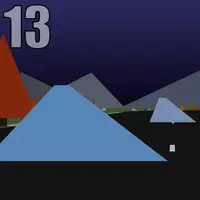
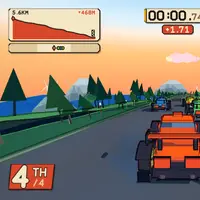
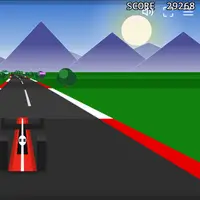
Red Rock Descent sends your car down a winding mountain road beside the sea, racing three computer-driven rivals from the top to the finish. The course is several kilometers long and drops hundreds of meters, with tight corners, bridges, a tunnel and ramps that launch you into the air. Everything you see and hear, from the cars to the engine sound, is generated in code, and it is drawn in a bold comic-book style with thick outlines. It was built by StarKnightt.
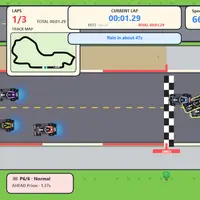
The handling feels arcade-friendly but rewards real driving: brake before corners, carry speed out of them, and keep the car on the road. The screen shows your position, a timer, your speed and how far down the mountain you are. When you reach the bottom, a results card shows how you placed. It suits players who like a single, longer race where every corner counts.
How to play Red Rock Descent
- Up arrow or W - accelerate
- Down arrow or S - brake
- Left / Right arrows or A / D - steer
- Space - handbrake
- Hold C - look behind
- R - restart or recover a stuck car; Esc - pause menu
Playing Red Rock Descent on a computer
Press Enter to start the race or skip the countdown. Accelerate with Up or W, brake with Down or S, and steer with the Left and Right arrows or A and D. Space is the handbrake, and holding C looks behind you. Press Escape for the pause menu. Ease off the gas on downhill bends; the car picks up speed fast.
Playing Red Rock Descent on a phone or tablet
Red Rock Descent has touch controls: hold the on-screen pedals to speed up or brake, and tilt your device or drag a thumb sideways to steer. You must hold your phone sideways. The 3D graphics can be demanding, and the controls are less precise than a keyboard on a small screen. For the smoothest race, use a laptop or Chromebook.
On a phone right now? Try Tiny Track Racer, Brick Smash and Protektor - they are built for touch screens.
Tips and tricks
- Brake before a corner instead of in the middle of it; the car grips better when it is not slowing and turning at once.
- Use the handbrake briefly on the tightest hairpins to swing the back of the car around.
- If you get stuck off the road, press R to recover instead of trying to drive out.
- Hold C now and then to check whether a rival is close behind before you take a risky line.
Game details
| Developer | StarKnightt |
|---|---|
| Category | Racing Action |
| Platform | Desktop (needs a keyboard or mouse) |
| Technology | HTML5 (open source) |
| Price | Free |
| Original game | StarKnightt/redrock by StarKnightt |
| Code license | ISC |
| Art and sound | ISC (cars, terrain, interface and sound are all generated in code; three.js library under MIT) |
| Hosted copy | Adapted to run on GN Math - see the changes |
Red Rock Descent FAQ
Is the course different every time?
No. On this page the race always uses the same course, so you can learn the corners and improve each run.
Does Red Rock Descent save anything?
No. It does not store progress or times, so each visit starts with a fresh race.
Can I play Red Rock Descent on a phone?
It has touch controls with on-screen pedals and tilt or drag steering in landscape, but it is made for a keyboard and is heavy for some phones, so a computer works best.