About Little Platformer
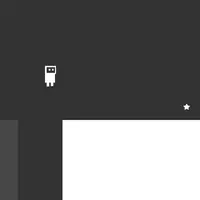
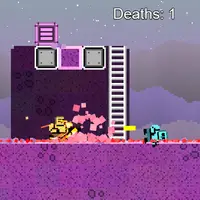
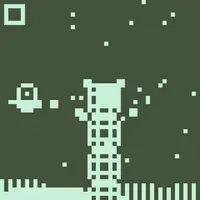
Little Platformer is the sample platform game that ships with the LittleJS engine, built by Frank Force. You start in a large side-view level with ladders, crates and 12 enemies, plus 66 coins scattered around. Run and jump around the map, shoot enemies and pick up coins. Each coin and each defeated enemy adds a point, and a second counter at the top keeps track of your deaths.
There is no finish line or win screen, so the fun is in exploring and playing with the tools. You can fire a gun, dodge roll out of trouble, and throw grenades whose explosions knock chunks out of the level. Crates can be smashed, and the mouse wheel zooms the camera in and out. One hit takes you down, and you respawn back at the start with your score kept. It suits players who want a relaxed run-and-gun sandbox to experiment in.
How to play Little Platformer
- Arrow keys or W A S D - run and climb ladders
- Up arrow or W - jump (hold for a higher jump)
- Z or hold the left mouse button - shoot
- X or right mouse button - dodge roll
- C or middle mouse button - throw a grenade
- Touch - left on-screen stick to move, on-screen buttons to jump, shoot, roll and throw
Playing Little Platformer on a computer
Run with the arrow keys or W A S D and jump with Up or W, holding it for extra height. Press Z to shoot, X to dodge roll and C to throw a grenade, or use the left, right and middle mouse buttons. The scroll wheel zooms the camera and R reloads the level. Tip: grenades break the ground, so think before you throw one near your feet.
Playing Little Platformer on a phone or tablet
Little Platformer shows an on-screen stick on the left for moving and climbing, plus buttons for jumping, shooting, rolling and throwing grenades. Everything works by touch, but with so many actions it helps to play with both thumbs. Camera zoom needs a mouse wheel, so on a phone you keep the default view.
Tips and tricks
- Throw grenades at groups of enemies or stacks of crates, but remember the blast also changes the terrain around it.
- Use the dodge roll to slip past an enemy that is about to touch you.
- Hold jump for extra height when a ledge looks just out of reach.
- Scroll the mouse wheel to zoom out and spot coins you have not collected yet.
Game details
| Developer | Frank Force |
|---|---|
| Category | Action Platformer Shooting |
| Platform | Desktop and mobile |
| Technology | HTML5 (open source) |
| Price | Free |
| Original game | KilledByAPixel/LittleJS by Frank Force |
| Code license | MIT |
| Art and sound | MIT (tiles.png and tilesLevel.png from the LittleJS repo; sounds generated with ZzFX in code) |
| Hosted copy | Adapted to run on GN Math - see the changes |
Little Platformer FAQ
Is there an ending in Little Platformer?
No. It is one large level with no win screen, so you set your own goal, such as grabbing all 66 coins or defeating all 12 enemies.
What happens when I die?
Your character respawns at the starting point and the death counter goes up by one, while your score is kept. Pressing R reloads the level and resets both counters.
Does Little Platformer work on phones?
Yes. An on-screen stick and buttons appear for touch play, though a keyboard makes the many actions easier to reach.