


About OnOff
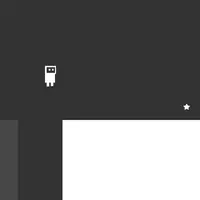
OnOff is a minimalist platformer built around one idea: the level has two layers of platforms, and only one layer is solid at a time. Press Space to flip between them. A platform you are standing on can vanish, and a wall in your way can disappear, so every jump depends on when you switch. Reach the goal to move to the next level. It was built by Daniel Marino and Brad Dunbar.
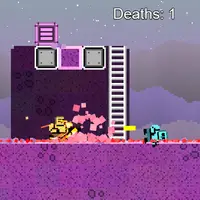
You fail a level by falling off the bottom, touching active spikes, or switching layers while you are inside a platform that turns solid. A death counter keeps track of every try, and the level restarts right away, so mistakes are quick to recover from. The menu also has a level editor where you place platforms and spikes, then test your own level. It suits players who like short puzzle-platform levels that need timing and a bit of planning.
How to play OnOff
- A / D or Left / Right arrows - move left or right
- W or Up arrow - jump
- Space - switch platform layer
- Up / Down arrows, then Enter - pick a menu item
- Escape - leave a custom level
- Editor: P adds a platform, S + direction adds spikes, G tests; drag to move or resize
Playing OnOff on a computer
On the title screen, use the Up and Down arrows and Enter to start. Move with A and D or the arrow keys, jump with W or Up, and press Space to swap which platform layer is solid. A death counter tracks your tries. When a jump looks impossible, try switching layers halfway through it.
Playing OnOff on a phone or tablet
OnOff needs a keyboard or a gamepad. There are no touch controls, so it will not play on a phone or touchscreen alone. Try it on a laptop or Chromebook with a keyboard. On a phone, look for games labeled 'Desktop and mobile', which are made to work with touch.
On a phone right now? Try 2048, Klondike Solitaire and Hextris - they are built for touch screens.
Tips and tricks
- Before switching layers, check that you are not standing inside a platform from the other layer, or you will be crushed.
- Flip layers in mid-air to land on platforms that only exist on the other side.
- Spikes belong to a layer too; switching can make them harmless.
- Look at the whole level for a second before moving; most stages show the route if you trace it backward from the goal.
Game details
| Developer | Daniel Marino and Brad Dunbar |
|---|---|
| Category | Adventure Platformer Puzzle |
| Platform | Desktop (needs a keyboard or mouse) |
| Technology | HTML5 (open source) |
| Price | Free |
| Original game | starzonmyarmz/js13k-2018 by Daniel Marino and Brad Dunbar |
| Code license | MIT |
| Art and sound | MIT (SVG shapes drawn in code; music and effects played through the MIT TinyMusic library) |
| Hosted copy | Adapted to run on GN Math - see the changes |
OnOff FAQ
Does OnOff save my level progress?
No. The game does not store progress, so closing the page starts you from the beginning next time.
Can I make my own levels in OnOff?
Yes. Choose the editor from the title menu, place platforms and spikes, and press G to test your level.
Can I play OnOff on a phone?
No. It needs a keyboard or a gamepad, and there are no touch controls.