About Gravity Golf
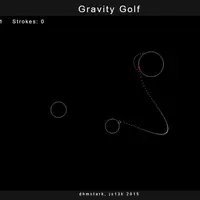
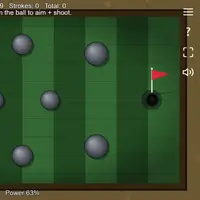
Gravity Golf is a small physics puzzle built by eschatonic. Planets float in space, and one of them has a red mark on its surface: that is the hole. Your ball rests on a planet, and each shot sends it flying through space, where every planet's gravity pulls on it and bends its path. Land the ball on the red mark to finish the hole.
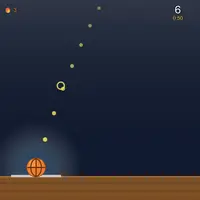
Each hole is generated at random, and every time you sink one, the next adds another planet, so paths get more crowded and harder to read. While you aim, a dotted line previews where the ball will travel, which helps you plan slingshots around nearby planets. The ball turns yellow when it is resting and ready to hit again. If a shot drifts off into space, the ball returns to where you last hit it and the stroke still counts. It suits patient players who enjoy experimenting with angles and physics.
How to play Gravity Golf
- Press and hold, then move the pointer - aim; farther from the ball means more power
- Release the mouse button - take the shot
- Touch and drag - aim and set power (touch)
- Lift your finger - take the shot (touch)
Playing Gravity Golf on a computer
Wait until the ball sits still and turns yellow. Then press and hold the mouse button, and move the pointer: the direction from the ball to the pointer sets the aim, and the distance sets the power. A dotted line shows the predicted path. Release to shoot. The top corner shows the hole number and your strokes. Small adjustments to the pointer can change the path a lot, so move slowly.
Playing Gravity Golf on a phone or tablet
Touch controls work: touch the screen, drag to aim and set power, and lift your finger to shoot, with the same dotted preview line as on desktop. The trouble on phones is size. The ball, the red hole mark and the preview dots are drawn very small, so they can be hard to see and your finger may cover them. A tablet or a bigger screen helps a lot.
On a phone right now? Try 2048, Klondike Solitaire and Hextris - they are built for touch screens.
Tips and tricks
- Watch the dotted preview line; it already includes the pull of every planet, so adjust until it ends on the red mark.
- Softer shots are easier to control, because a fast ball can skip past the hole or fly off the screen.
- Wait for the ball to turn yellow before trying to shoot; you cannot hit it while it is still moving.
- If the hole is on the far side of a planet, use another planet's gravity to curve the ball around.
Game details
| Developer | eschatonic |
|---|---|
| Category | Sports Puzzle |
| Platform | Desktop (needs a keyboard or mouse) |
| Technology | HTML5 (open source) |
| Price | Free |
| Original game | js13kGames/gravity-golf by eschatonic |
| Code license | MIT |
| Art and sound | MIT (planets, ball and path drawn as canvas lines; no image or audio files) |
| Hosted copy | Adapted to run on GN Math - see the changes |
Gravity Golf FAQ
How do you finish a hole?
Get the ball to touch the red mark on the target planet. A message shows your stroke count, then the next hole loads with one more planet.
What happens if the ball flies into space?
If it goes too far off screen or stays in flight for about 20 seconds, it returns to the spot you last hit it from. That stroke still counts.
Does Gravity Golf save my progress?
No. The hole number and strokes start over when you reload the page.