


About Stolen Sword
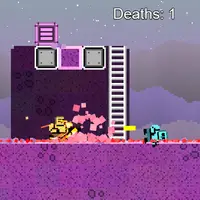
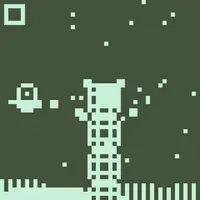
Stolen Sword is a slingshot-style action game built by Ian Chiao. Your sword has been taken, and you chase the thief through four stages, each made of enemy waves. You do not walk or press a jump button. Instead, you press and pull back, a line shows where you will fly, and letting go sends you dashing that way. Hit an enemy mid-dash and you cut it down.
Time slows while you aim, which gives you a moment to plan each move. You get two dashes before you need to touch a platform or wall again, and striking an enemy gives you a dash back, so good chains keep you airborne. Some enemies take more than one hit, some block and bounce you away, and some hurt you if you touch them. You can survive one hit, but a second knocks you down. Your stage and wave are saved in the browser. It suits players who like precise moves with one hand.
How to play Stolen Sword
- Click or tap once the title appears - start the game
- Press and drag away from where you want to go - aim a dash (time slows)
- Release the mouse button or lift your finger - dash and slash
- Click or tap - continue after a story caption
Playing Stolen Sword on a computer
Wait for the title, then click to start. To move, press the mouse button, drag away from the direction you want to go, and release; a guide line shows the path and time slows while you aim. Dash into enemies to defeat them. Tip: every hit gives back a dash, so chain attacks to stay in the air.
Playing Stolen Sword on a phone or tablet
Stolen Sword is a natural fit for phones. Tap to start, then touch the screen, drag your finger away from where you want to go, and lift it to dash. Time slows while your finger is down, so there is no rush to aim. The game uses a tall layout, so hold your phone upright.
Tips and tricks
- Pull back far enough; a very short drag is too weak to launch a dash.
- Plan a chain: each enemy you strike gives you back a dash, so line up the next target before you release.
- Enemies that block will bounce you away, so leave room for a safe follow-up angle.
- Touch a platform or wall to refill both dashes when you are running low.
Game details
| Developer | Ian Chiao |
|---|---|
| Category | Action Skill |
| Platform | Desktop and mobile |
| Technology | HTML5 (open source) |
| Price | Free |
| Original game | chiaogu/stolen-sword by Ian Chiao |
| Code license | MIT |
| Art and sound | MIT (no image or audio files; everything is drawn in code and sounds use the ZzFX synth) |
| Hosted copy | Unmodified |
Stolen Sword FAQ
How do you attack in Stolen Sword?
Dash into an enemy. Press, drag the opposite way from where you want to go, and release to fly through it with your blade.
Does Stolen Sword save my progress?
Yes. The current stage and wave are stored in your browser, so you can return to where you were on the same device.
Does it work on phones?
Yes. It is played with one finger, and the tall screen fits a phone held upright.