

About Bounce Back
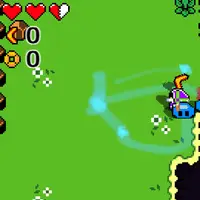
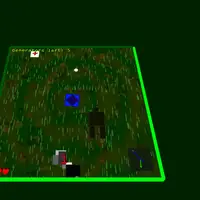
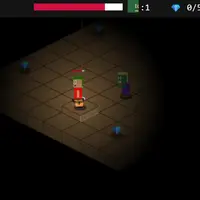
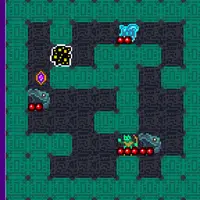
Bounce Back is a top-down dungeon crawler built by Frank Force for a game jam, with chunky pixel art and sound made entirely in code. You start in a small hub room, step through the portal and fight through a run of randomly generated levels. Your only weapon is a boomerang that flies toward your aim and curves back to your hand, and a quick dash lets you slip past danger without taking damage.
Each level opens its exit portal once every enemy is gone. Slimes, jumpers and shielded foes appear, sometimes in giant or invisible versions, and the last level holds a boss. Coins you collect are saved between runs and can be spent at shops on hearts, extra heart containers, more boomerangs and big boomerangs. After you reach deeper levels a warp portal in the hub lets you skip ahead, and winning once unlocks a speed run portal with a timer. It suits players who enjoy short, replayable action runs.
How to play Bounce Back
- W A S D - move
- Mouse - aim the crosshair
- Left click - throw the boomerang
- Space or Shift - dash (you take no damage while dashing)
- Escape - restart after a game over or a win
Playing Bounce Back on a computer
Walk with W A S D, point the crosshair with your mouse and left click to throw your boomerang. Press Space or Shift to dash out of trouble. Walk into the portal in the starting room to begin a run. If you fall, press Escape to return to the hub and try again with the coins you kept. Aim slightly ahead of moving enemies so the boomerang meets them.
Playing Bounce Back on a phone or tablet
Bounce Back does not support touch controls. You need a keyboard for movement and a mouse for aiming and throwing, so it will not work properly on a phone or tablet. Try it on a computer or Chromebook instead. If you are on a phone right now, look for games labeled 'Desktop and mobile' on GN Math.
On a phone right now? Try Brick Smash, Protektor and Emoji Horde - they are built for touch screens.
Tips and tricks
- You can only throw boomerangs you are holding, so move toward a returning one to catch it sooner; buying extra boomerangs lets you throw more often.
- Save your dash for the moment an enemy charges or jumps at you, since you cannot be hurt mid-dash.
- Buy an extra heart container early; more maximum health makes the later levels much more forgiving.
- Check the minimap in the corner to find rooms you have not cleared yet when the exit portal will not appear.
Game details
| Developer | Frank Force |
|---|---|
| Category | Adventure Action |
| Platform | Desktop (needs a keyboard or mouse) |
| Technology | HTML5 (open source) |
| Price | Free |
| Original game | KilledByAPixel/BounceBack by Frank Force |
| Code license | GPL-2.0 |
| Art and sound | GPL-2.0 (pixel art tile sheet by the author, ZzFX sound effects and music generated in code) |
| Hosted copy | Unmodified |
Bounce Back FAQ
How do I finish a level in Bounce Back?
Defeat every enemy on the level and a portal appears where the last one fell. Walk into it to move on.
Does Bounce Back save my progress?
Your coins, the deepest level you reached and your best speed run time are saved in your browser. A run itself restarts from the hub if you die.
Can I play Bounce Back on a phone or tablet?
No. It needs a keyboard to move and a mouse to aim, so it is meant for a computer or Chromebook.