




About Seat Jam 3D
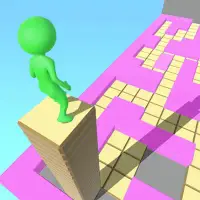
Seat Jam 3D turns boarding a bus into a logic puzzle. Passengers need to end up in their assigned seats, and you are the one who has to get everyone settled without leaving anyone stuck.
Moving someone is easy: select the passenger, then pick the seat you want. The catch is how they travel. Movement follows a grid with no diagonal shortcuts, so a careless move can block the aisle for everyone else. Early stages ease you in, and the layouts grow trickier as you go, rewarding players who think several moves ahead.
How to play Seat Jam 3D
- Click or tap a passenger - select them
- Click or tap a seat - send the passenger there
Playing Seat Jam 3D on a computer
Seat Jam 3D turns bus boarding into a logic puzzle. Two clicks get you in: Play now, then PLAY on the licensed start screen, with an ad sometimes in between. Click a passenger to select them, then click the seat you want them to take. Passengers move along a grid and can block each other, so seat the most boxed-in people first before filling the easy seats.
Playing Seat Jam 3D on a phone or tablet
Seat Jam 3D plays fine on a phone. Tap a passenger, then tap the seat you want them in. Because passengers travel along a grid and can block one another, think a few moves ahead before tapping. Hold the phone whichever way shows the whole bus clearly, and close it with the X button at the upper right when you are done.
Tips and tricks
- Work out who is blocking whom before making your first move.
- Look over the whole bus before you start so you do not trap anyone.
Game details
| Category | Puzzle |
|---|---|
| Platform | Desktop and mobile |
| Technology | HTML5 |
| Price | Free |
Seat Jam 3D FAQ
How do you move passengers in Seat Jam 3D?
Click or tap a passenger, then click or tap the seat where they belong.
Can passengers move diagonally in Seat Jam 3D?
No. They move only in straight lines along the grid, which is what makes planning important.