
About Block Blast
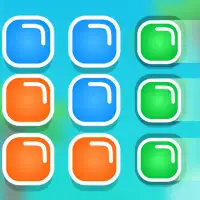
Block Blast gives you an empty board and a handful of pieces in different shapes. Your task is to drag each block into place so that every open tile ends up covered, with no gaps left over.
The first boards can be solved almost at a glance, but the outlines become more awkward as you advance, and the right placement is not always obvious. There are 50 levels in all, which makes it a good fit for short puzzle breaks that you can pick up and put down whenever you like.
How to play Block Blast
- Mouse - drag blocks onto the board
- Touchscreen - drag pieces with your finger
Playing Block Blast on a computer
Block Blast is pure drag and drop. Once you have pressed Play now and cleared the licensed title screen, click a piece, keep the button held, drag it onto the board and release to set it down. Your aim is to cover every open tile with no gaps left. Study all the waiting pieces before placing one; awkward shapes are easier to fit while the board is still open.
Playing Block Blast on a phone or tablet
Dragging with a finger works naturally. Press a block, slide it onto the grid and lift to place it. Your fingertip can hide the cells underneath, so pause for a moment to check the outline before letting go. When a shape seems impossible, place the simpler pieces first and the gap that remains will often show where the tricky one belongs.
Tips and tricks
- Place the largest or oddest shapes first.
- Fill the corners and edges before the middle.
- If the last piece will not fit, rethink where the first one went.
Game details
| Category | Puzzle |
|---|---|
| Platform | Desktop and mobile |
| Technology | HTML5 |
| Price | Free |
Block Blast FAQ
How many levels does Block Blast have?
There are 50 levels, and the boards get harder to fill as you go.
How do you beat a level in Block Blast?
Cover every empty tile on the board using the blocks you are given.