

About Traffic Racer
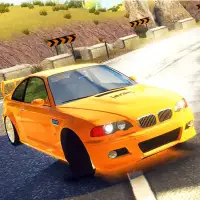
Traffic Racer puts you behind the wheel on roads crowded with other vehicles. Your goal is to keep moving fast while slipping between cars, using quick lane changes to avoid a collision.
The game offers several environments and more than one game mode, so you can switch up the scenery and the rules when a run starts to feel familiar. A boost gives you an extra burst of speed when the road ahead opens up, but using it in heavy traffic is a risky move.
How to play Traffic Racer
- A/D or left/right arrows - steer
- W or up arrow - boost
Playing Traffic Racer on a computer
Change lanes with A and D or the left and right arrows, and press W or the up arrow to boost. Press Play now, sit through any brief ad, and hit PLAY to get on the road. A boosted car leaves less time to react, so save it for open stretches and let off when traffic bunches up. If a run starts to feel repetitive, try another environment or game mode.
Playing Traffic Racer on a phone or tablet
Traffic Racer is listed for keyboards. Weaving through traffic means switching lanes with one hand while working the boost key with the other, and the game has no confirmed touch controls. Play on a laptop, desktop or Chromebook for proper control. For driving games you can enjoy on a phone, look for the "Desktop and mobile" tag.
On a phone right now? Try Drift Boss, Survival Race and Ado Cars Drifter 2 - they are built for touch screens.
Tips and tricks
- Change lanes early instead of waiting until the last second.
- Save boosts for clear stretches of road.
- Try each environment to find the one where you spot gaps fastest.
Game details
| Category | Racing |
|---|---|
| Platform | Desktop (needs a keyboard or mouse) |
| Technology | HTML5 |
| Price | Free |
Traffic Racer FAQ
How do you boost in Traffic Racer?
Press W or the up arrow to give your car extra speed.
Does Traffic Racer have different modes?
Yes, it includes multiple game modes and several environments to drive through.