About Burnout Drift
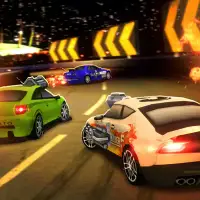
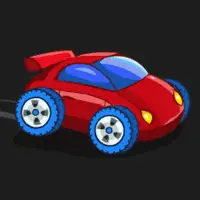
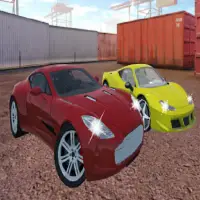
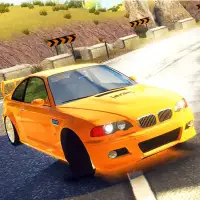
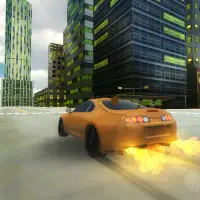
Burnout Drift is a 3D driving game built around speed and controlled slides. You take a car out on the road, push it hard and use the brake to swing it sideways through corners, whether the session happens in daylight or after dark.
Traffic is part of the challenge, so you need to read the road while you drift instead of just chasing big angles. Customization lets you modify your car until it looks and feels the way you want. The game runs on phones and tablets as well as desktop browsers, which makes it easy to fit in a quick session anywhere.
How to play Burnout Drift
- WASD or arrow keys - drive and steer
- Space - brake
Playing Burnout Drift on a computer
Click Play now, then PLAY on the screen after it; a short ad may appear. Use WASD or the arrow keys to drive and steer, with Space as the brake. To start a slide, carry speed into a corner, steer in and touch the brake to swing the back end out, then steer to hold the angle. Fullscreen gives the 3D road and the traffic ahead more room.
Playing Burnout Drift on a phone or tablet
Burnout Drift is flagged by its distributor as mobile-friendly and opens in the full-screen phone view, where the game uses its own on-screen controls for steering, gas and braking. Landscape is the way to go for a 3D driving game like this. Keep early drifts short; traffic shows up quickly, and a long slide leaves little time to react.
Tips and tricks
- Tap the brake as you turn in to start a slide, then steer to hold it.
- Keep an eye on traffic ahead before committing to a long drift.
- Tune your car to match how you like to drive.
Game details
| Category | Racing Simulation |
|---|---|
| Platform | Desktop and mobile |
| Technology | HTML5 |
| Price | Free |
Burnout Drift FAQ
Can you customize cars in Burnout Drift?
Yes. The game lets you change your car so it fits your own style.
Does Burnout Drift work on phones?
It is marked as mobile-friendly, so it can be played on phones and tablets as well as computers.