

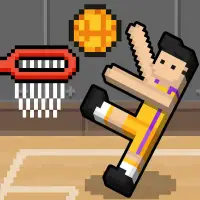


About 2-3-4 Player Games
Built for groups crowding around a single computer, 2-3-4 Player Games packs 21 different mini games that support two, three or four players at once. Each one has its own setup and rules. Some ask you to outscore everyone else, while others are a race to the finish line.
Every player gets a section of the keyboard, so there is no need for extra controllers. Rounds are short and easy to explain, which makes the collection a great choice for a quick competition with friends during a break. Try them all to find your group's favorite.
How to play 2-3-4 Player Games
- Player 1: W, A, S, D
- Player 2: arrow keys
- Player 3: I, J, K, L
- Player 4: T, F, G, H
Playing 2-3-4 Player Games on a computer
2-3-4 Player Games packs 21 mini games for groups sharing one computer. Press Play now and PLAY on the distributor's screen, allowing for a short ad. The keyboard splits four ways: W, A, S, D for the first player, the arrows for the second, I, J, K, L for the third and T, F, G, H for the fourth. Seat everyone so their keys are in easy reach, and sample several games to find favorites.
Playing 2-3-4 Player Games on a phone or tablet
2-3-4 Player Games is flagged by its distributor as mobile-ready. Players share the display on a touch screen, so a tablet gives a group far more room than a phone, and landscape helps everyone reach their side. Follow the touch prompts in each mini game, and start with a two-player round to learn the layout before adding friends.
Tips and tricks
- Agree on a number of rounds before starting so everyone gets a fair shot.
- Figure out each mini game's goal before going all out.
- With four players, sit so everyone can reach their keys comfortably.
Game details
| Category | 2 Player Casual |
|---|---|
| Platform | Desktop and mobile |
| Technology | HTML5 |
| Price | Free |
2-3-4 Player Games FAQ
How many games are in 2-3-4 Player Games?
There are 21 mini games, each playable with two, three or four players.
Can four people play 2-3-4 Player Games on one keyboard?
Yes. Each player uses a different group of keys: WASD, the arrows, IJKL and TFGH.