


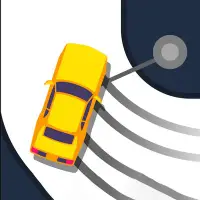
About Hard Wheels 2
Hard Wheels 2 hands you a big, heavy truck built for rough ground and a course full of obstacles. Getting to the finish is only half the job, since the clock decides how many stars you earn, and the fastest runs collect all three.
Keeping the truck balanced is the main challenge, especially over ramps, drops and awkward landings. Too much throttle at the wrong moment can tip it over, while too little leaves you short of a good time. Achievements give extra goals to chase. It plays with the arrow keys or WASD on a computer and with on-screen buttons on phones and tablets.
How to play Hard Wheels 2
- Arrow keys or WASD - drive and balance the truck
- On-screen buttons - drive on mobile
Playing Hard Wheels 2 on a computer
Once Play now and the PLAY button have loaded the game (an ad may play first), drive and balance the monster truck with the arrow keys or WASD. Ease off the throttle before big ramps and use the balance keys in the air to land on all four wheels. Faster finishes earn more stars, so replay a level once you know where the obstacles are.
Playing Hard Wheels 2 on a phone or tablet
Hard Wheels 2 has on-screen buttons for driving on mobile, and its distributor marks it as touch-ready. Use them to throttle, brake and keep the truck balanced over ramps and drops. Landscape gives a wider view of the course. Short, light presses work better than holding buttons down while the truck is airborne.
Tips and tricks
- Lean back on steep climbs so the front does not tip over.
- Learn each course once, then push for the three-star time.
- Avoid full throttle right before landing a jump.
Game details
| Category | Racing Skill |
|---|---|
| Platform | Desktop and mobile |
| Technology | HTML5 |
| Price | Free |
Hard Wheels 2 FAQ
How do you earn stars in Hard Wheels 2?
Finish each course quickly; the shortest times are rewarded with three stars.
Can you play Hard Wheels 2 on a phone?
Yes. On mobile you drive with on-screen buttons.