



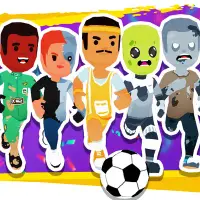
About Super Soccer Noggins
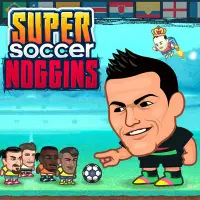
Oversized heads and quirky stadiums give Super Soccer Noggins plenty of personality. Pick the country you want to represent, then take on rivals in short matches where a single header or well-placed volley can decide everything.
Ten different power-ups keep each game unpredictable, and a wide range of pitches, each with its own odd touch, keeps the scenery changing. Six trophies are up for grabs, so there is a clear goal to work toward. The controls take seconds to learn: the arrow keys move your player, and the space bar does the rest. A keyboard is all you need.
How to play Super Soccer Noggins
- Arrow keys - move and jump
- Space bar - kick
Playing Super Soccer Noggins on a computer
Two inputs are all it takes: the arrow keys move and jump your player, and the space bar kicks. Press Play now and then PLAY, choose a country, and the match begins. Ten power-ups can turn a game around, so grab them when they land near you. A well-timed jump into a header often beats trying to dribble past the opposing keeper.
Playing Super Soccer Noggins on a phone or tablet
Super Soccer Noggins uses the arrow keys and space bar, and you need to jump, move and kick almost at once to win headers. The game has no touch controls, so it does not work on phones. Play on a computer or Chromebook. For soccer you can play on a phone, Head Soccer Arena is labeled "Desktop and mobile".
On a phone right now? Try Basket Random, They Are Coming and Coreball - they are built for touch screens.
Tips and tricks
- Learn what each power-up does early so you can use it well later.
- Jump to meet high balls with your head instead of waiting for them to land.
- Play defense when your opponent has a power-up active.
Game details
| Category | Sports Arcade |
|---|---|
| Platform | Desktop (needs a keyboard or mouse) |
| Technology | HTML5 |
| Price | Free |
Super Soccer Noggins FAQ
How many trophies are in Super Soccer Noggins?
There are six trophies to win.
What do I need to play Super Soccer Noggins?
Just a keyboard. Arrow keys handle movement, while the space bar takes care of kicks.